
PixVerse AI Review: My Experience, Features & Is It Worth It?
Introduction
AI video tools are everywhere right now, but not all of them are actually useful. I recently tried PixVerse AI to see if it can really create good-quality videos from simple prompts — and honestly, the results were quite interesting.
If you’re someone who creates Instagram reels, YouTube shorts, or even marketing videos, this tool might save you a lot of time.
I personally feel PixVerse AI is more suitable for quick content creation rather than detailed professional video editing.
What is PixVerse AI?
PixVerse AI is a simple AI video tool that helps you create short videos just by typing a prompt or uploading an image.Instead of editing manually, you just give a prompt, and the tool generates a video for you.
- From what I observed, this tool is especially useful for beginners, content creators, and anyone who wants quick video output without editing skills.
Key Features of PixVerse AI
Here are some features I noticed while using it:
Text-to-Video
You can type a simple prompt like “sunset beach cinematic scene” and it generates a video.
Image-to-Video
You can upload an image and turn it into a moving video clip.
Fast Generation
It doesn’t take too long — most videos are ready within a few minutes.
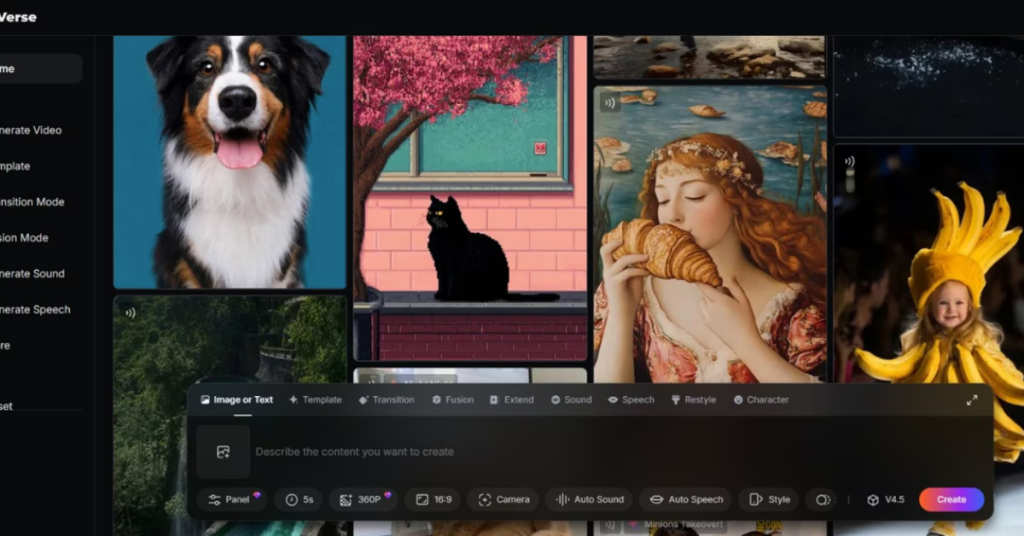
Easy Interface
The dashboard is simple, so even beginners can use it without confusion.
How I Used PixVerse AI
Here’s how I tried it:
- I signed up on the platform
- Entered a prompt: “cinematic mountain landscape with fog”
- Selected the style
- Clicked generate
Within a few minutes, it created a short video clip. The output looked good enough for social media, especially for reels and short-form content.
Real Use Cases
From my experience, PixVerse AI can be useful for:
Social Media Content
You can create reels, shorts, and TikTok videos quickly.
Marketing
Small businesses can create product videos without hiring editors.
YouTube Videos
Helpful for faceless content creators.
Pros and Cons
Pros
- Very easy to use
- Saves time
- Good for beginners
- No editing skills required
Cons
- Output depends on prompt quality
- Limited control over details
- Free version has restrictions
Pricing
PixVerse AI usually offers a free plan with limited usage. If you need more features or exports, you’ll have to upgrade to a paid plan.
Pricing may change, so it’s better to check on their official website.
Alternatives
If you want to try similar tools, you can check:
- Runway ML
- Pika AI
These also offer AI video generation features.
Final Verdict
After trying PixVerse AI, I feel it’s a good option for beginners and content creators who want quick results without spending hours editing.
It may not replace professional video editing tools, but for fast content creation, it does the job well.
If you’re just starting out, it’s definitely worth trying.
