
Phind AI Review (2026): My Experience, Features & Is It Good for Developers?

Introduction
I recently tested Phind AI to understand how useful it is for coding and technical queries. AI tools are becoming essential for developers, and Phind AI is one tool I recently explored to see how it helps with coding and technical queries.
Unlike general AI tools, Phind focuses more on developer-related questions, which makes it interesting for programmers and learners.
What is Phind AI?
Phind AI is an AI-powered search and assistant tool designed mainly for developers. It helps answer coding questions, explain concepts, and even suggest solutions.
From what I observed, it works like a combination of a search engine and an AI assistant.
Key Features of Phind AI
Developer-Focused Answers
Provides coding-related solutions and explanations
Fast Search + AI
Combines search results with AI-generated answers
Code Explanation
Helps understand complex code snippets
Clean Interface
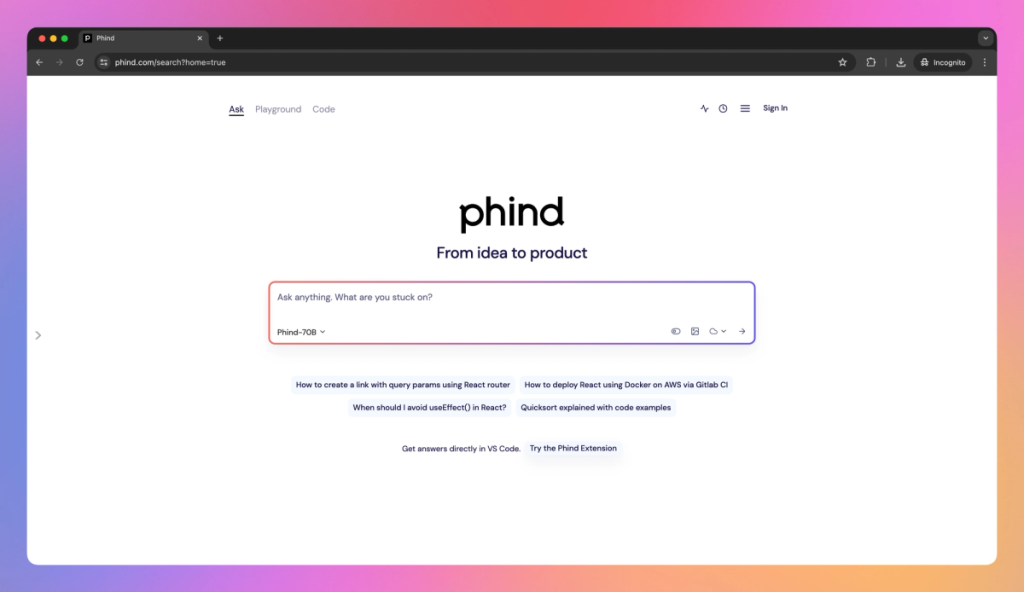
Simple and distraction-free UI
How I Used Phind AI
In my experience, Phind AI works best when you ask clear and specific technical questions.
Here’s how I tested it:
- Opened Phind AI
- Asked a coding-related question
- Checked the response
- Compared it with Google results
The responses were fast and focused on technical accuracy.
For example, I asked a Python-related question, and it provided a clear explanation along with code suggestions.
Phind AI Interface
Real Use Cases
Coding Help
Fix bugs and understand code
Learning Programming
Helpful for beginners learning concepts
Quick Research
Get direct answers without browsing multiple sites
Pros and Cons
Pros
- Developer-focused
- Fast responses
- Helpful explanations
- Clean interface
Cons
- Limited for non-technical users
- Sometimes requires follow-up questions
Pricing
Phind AI offers:
- Free usage (basic features)
- Paid options for advanced usage
Alternatives
- ChatGPT
- Perplexity AI
Final Verdict
From my experience, Phind AI is a useful tool for developers who want quick answers and coding help without spending too much time searching.
It works best for technical users rather than general users.
